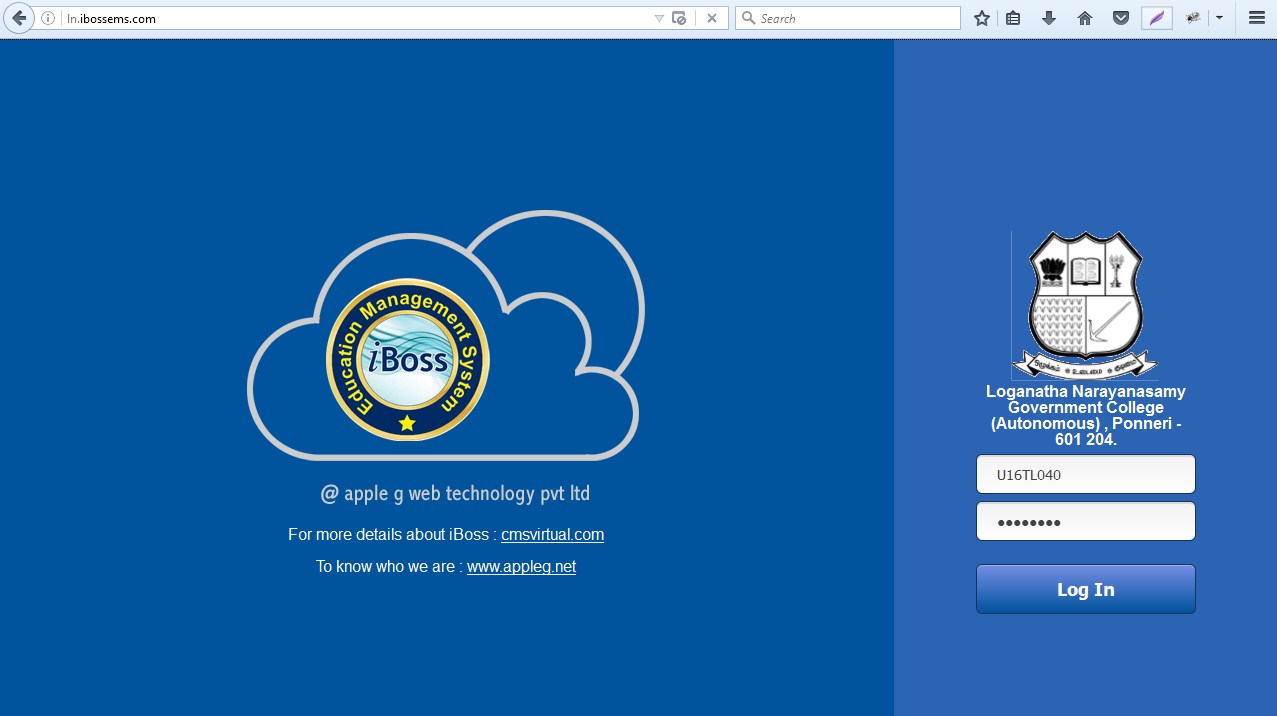
| Student Login has been provided to apply for examination through online portal. |
| |
| Format to login into application: |
| Username : Registration Number |
| Password : YY-MM-DD eg. (DOB: 98-11-11) |
| |
 |
| |
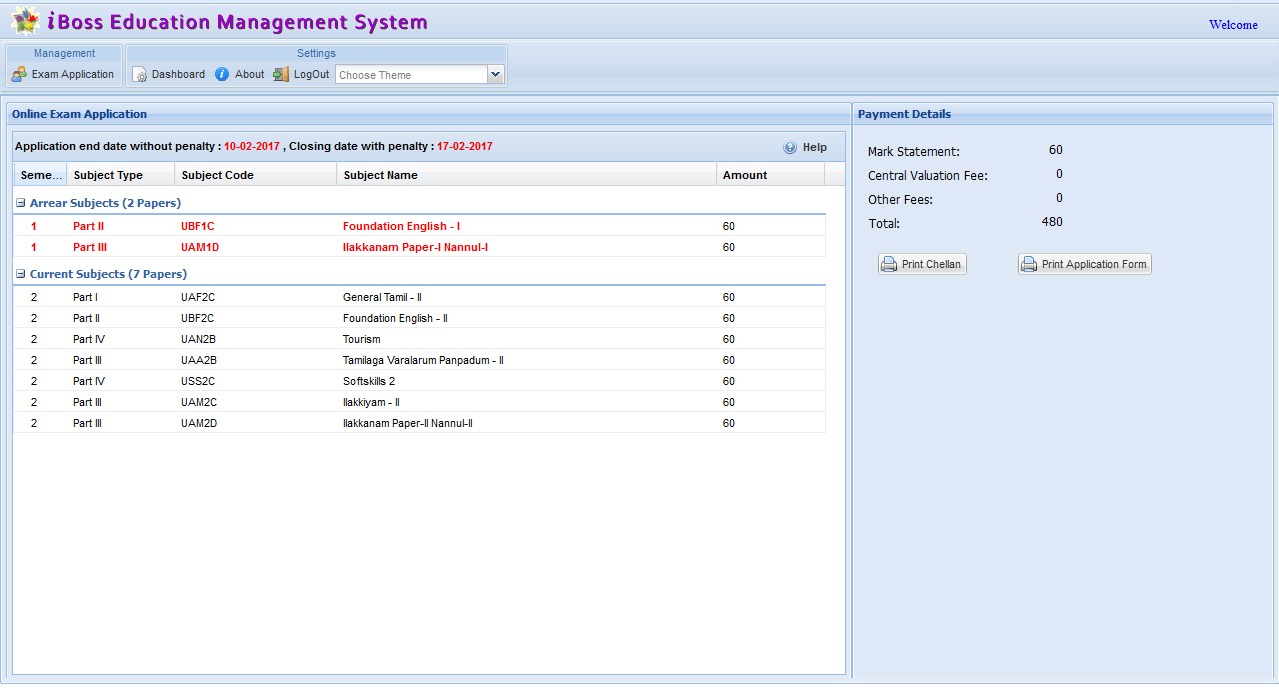
| Exam Application: |
- Click the Exam Application Button.
- View the current semester subjects and Arrear Subjects.
- On Confirmation of Subjects click the Print Challan. Payment can be made at bank and COE copy should be submitted to COE office.
- Click the Print Application and print the exam application form.
- Exam Application screen will not work after closing date with penalty
- Kindly contact COE office for further details.
|
| Exam Application View: |
| |
 |
| |